
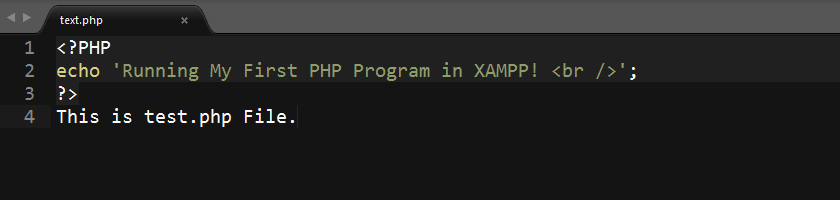
How to run PHP Program, CODE or File on Your own Computer?

Summary: Easiest way to install & run PHP on Your Own Computer: Run PHP using XAMPP.

To begin Programming in PHP or to check an existing PHP site or script on your own computer, the very first question you'll face is:

How to run PHP CODE or any File ending with .php extension on My Own Computer? What's the easiest way?

A PHP Program is the result of many lines of PHP CODE & often includes many PHP files. Also, since PHP is a Scripting Language, CODE written in PHP files are often called PHP Scripts. These are all interchangeable words. So don't get confused by these terms.

A Short Introduction:

The easiest way to install & run PHP on your own computer is using a software like XAMPP.

Continue reading "How to run PHP Program, CODE or File on Your own Computer?"
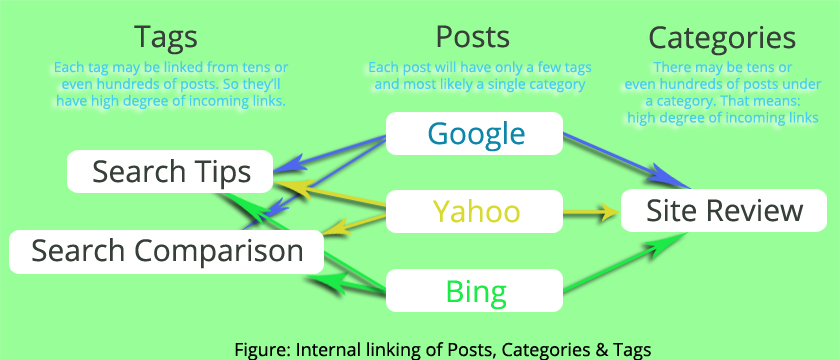
Should we index or noindex WordPress Category, Tags for SEO?

Tips for your WordPress Blog Tags SEO, WordPress Category SEO about indexing for Search Engines - check it out!

Short Answer: There is no straight forward yes/no answer to this question. If you are running a typical Blog using WordPress, where your category and tag pages only contain excerpt from belonging posts, then the answer is no, you shouldn't allow search engines to index your category and tag pages. If you have unique content to those category and tag pages, then the answer is yes, you should index them for better SEO.

Noindex Category & Tag pages if they contain only post excerpt & no unique content

Here is why you shouldn't index tag/category pages with no unique content & only excerpts from posts:

Continue reading "Should we index or noindex WordPress Category, Tags for SEO?"

Use PHP MySQL date format correctly

Learn how to handle PHP and MySQL date formatting correctly.

If you ever try to format date in PHP and MySQL, using date (datetime or timestamp) value directly from MySQL to PHP date() function, then you'll get a Notice level error, something like this:

Notice: A non well formed numeric value encountered in ... .. .

Additionally, PHP date() will always return January, 01 1970 if MySQL date is directly used. It means, there is a difference between date in PHP and date in MySQL (i.e. they are not compatible). PHP date function accepts Unix Timestamp,  which is different from MySQL date types (DATE, TIME, DATETIME, TIMESTAMP etc.)

Continue reading "Use PHP MySQL date format correctly"